

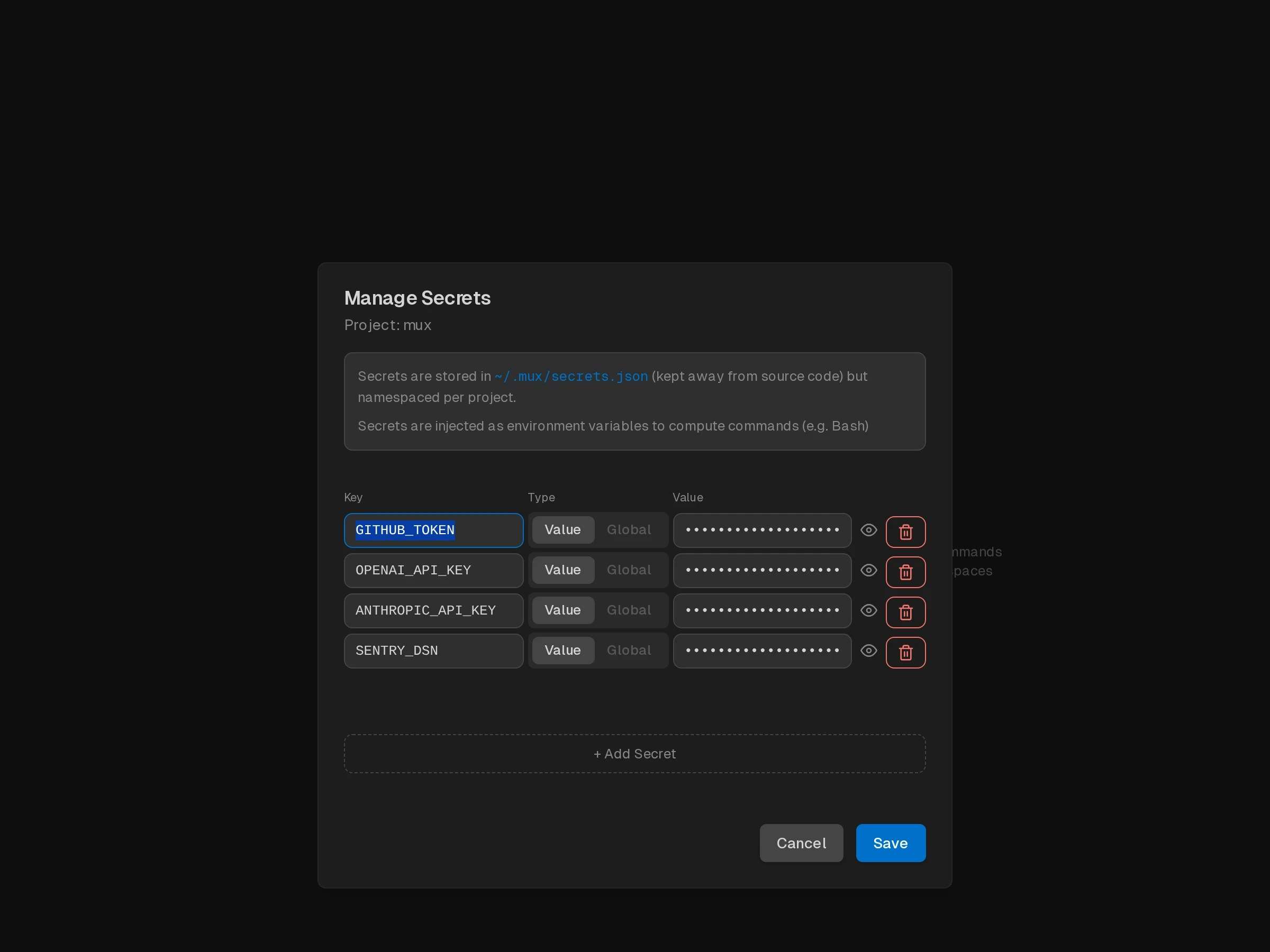
What Are Project Secrets?
Project secrets are key-value pairs stored per project that are:- Automatically injected as environment variables when running bash commands
- Stored outside repo in
~/.xum/secrets.json - Project-scoped - each project has its own set of secrets
- Workspace-inherited - all workspaces in a project use the same secrets
Common Use Cases
- API Keys:
ANTHROPIC_API_KEY,OPENAI_API_KEY,GITHUB_TOKEN - Authentication tokens:
NPM_TOKEN,DOCKER_HUB_TOKEN - Database credentials:
DATABASE_URL,POSTGRES_PASSWORD - Service endpoints:
API_BASE_URL,WEBHOOK_URL - Build configuration:
BUILD_ENV,FEATURE_FLAGS
Managing Secrets
Opening the Secrets Modal
- Find your project in the left sidebar
- Hover over the project name
- Click the 🔑 key icon that appears
How Secrets Are Used
When the agent runs bash commands (via thebash tool), all project secrets are automatically injected as environment variables:
Provider keys in secrets
A secret replaces only the variable it sets. Bash commands in Local and Worktree workspaces still get every other variable from the environment that started Xum. A provider key in secrets can then mix with a base URL or token of the host:
For example, on a host that starts Xum with an AI gateway in
ANTHROPIC_BASE_URL and ANTHROPIC_AUTH_TOKEN, a secret ANTHROPIC_API_KEY=sk-ant-… goes to the gateway together with the gateway token. The gateway can answer 403. In the desktop app and xum server, Xum logs a warning for each workspace and provider with this mix (not in xum run and xum workflow sessions). The warning names the variables, never their values.
To avoid the mix, do one of these:
- Remove the provider key from secrets, and let commands use the host’s gateway.
- Start Xum without the host’s provider variables, so the key in secrets goes to the provider’s own API.
- Set in secrets every host variable from the table that the host sets, for example
ANTHROPIC_BASE_URL=https://api.anthropic.com, or bothOPENAI_BASE_URLandOPENAI_API_BASEashttps://api.openai.com/v1. This does not work for a hostANTHROPIC_AUTH_TOKEN: the Settings page does not save a secret with an empty value, so use option 1 or 2 there.
Security Considerations
Storage
- Secrets are stored in
~/.xum/secrets.json(outside your repo) - Stored in plaintext — the file is not encrypted
- The file is created with user-only permissions; treat it like any other credentials file
Related
- Agentic Git Identity - Configure Git credentials for AI commits using Project Secrets