

bash, etc.) execute on the remote machine.
Threat model
Xum treats the remote host as potentially hostile. By default it does not forward your local keys or credentials. The only data synced to the remote machine is:- a git archive of the project
- Project Secrets (explicitly configured)
Why use SSH runtime
- Security: Prompt injection risk is contained to the credentials/files on the remote machine.
- SSH remotes pair well with Agentic Git Identity.
- Performance: Run many agents in parallel without burning laptop CPU/battery.
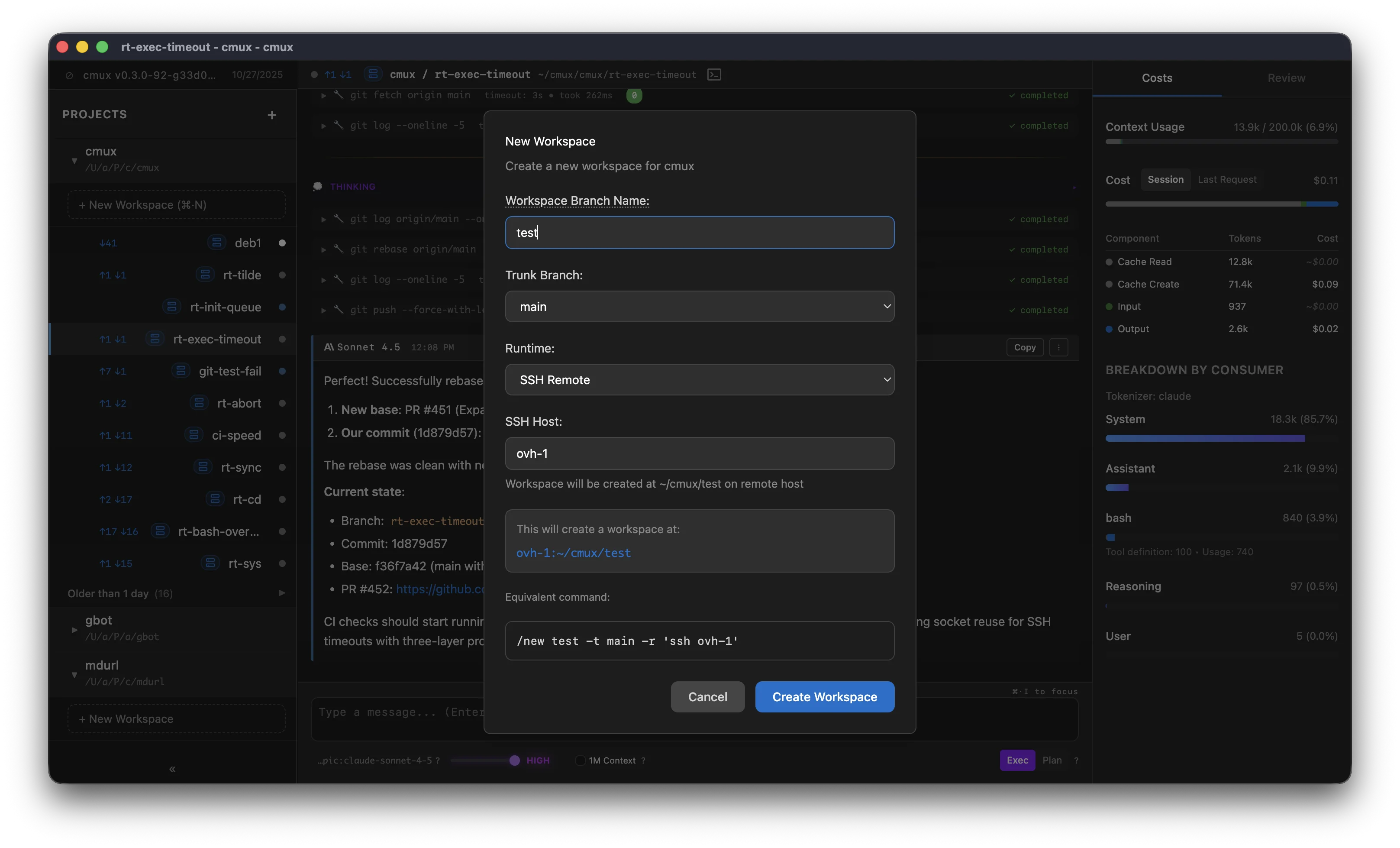
Host value
The host field accepts anything you can pass tossh <host>:
- a hostname (for example
my-server.com) - a username and hostname (for example
user@my-server.com) - an alias from your
~/.ssh/config(for examplemy-server)
ssh command, so advanced settings live in ~/.ssh/config.
Example entry:
Workspace isolation on SSH
By default each SSH workspace gets its own git worktree on the host, synced from your local repository. Choose None as the workspace isolation to work directly in an existing directory on the host instead, for example a repository you already cloned there:- Enter the directory (for example
~/src/my-app) next to the host. Xum remembers it per project. - Xum syncs nothing into that directory and never checks out branches, moves, or deletes it. Archiving or deleting the workspace leaves it in place.
- Every workspace with the same directory shares it, like the Local runtime does on your machine.
- The local project does not need to be a git repository.
- Project trust covers your local project, not the directory on the host, so the directory needs its own trust. In a trusted project, use Trust directory next to the directory field. Until you trust it, Xum treats that directory like an untrusted project: it doesn’t run its
.xum/inithook or tool hooks, doesn’t load its project plugins or MCP servers, and doesn’t pass your project secrets to commands that run there. Directory trust counts only while the project itself is trusted.
Authentication
Xum delegates to
ssh. This is an abbreviated reference of common ways ssh authenticates.Local default keys
ssh checks these locations by default: